8 Useful Tips for Travelers — How Not to Lose Connectivity and Ruin Your Vacation

Try Dingo today!
When planning a trip, we usually dream of a carefree vacation. But reality often throws surprises: your phone dies at the airport, roaming doesn't work, you urgently need to call your bank, but no one picks up calls from an unfamiliar number.
Here at Dingo, we love to travel and know how little technical glitches can turn a vacation into stress. That's why we've put together 8 practical tips — not generic ones, but specifically about connectivity, gadgets, and Dingo's own smart features. Follow them, and your vacation will definitely not be ruined.
1. Don't Rely on "Maybe" with Roaming
The most common mistake is thinking, "Roaming will connect somehow, and I'll figure it out later." The result: either a bill for thousands of rubles for a few megabytes, or you end up with no connectivity at all in a foreign country.
Dingo's tip:
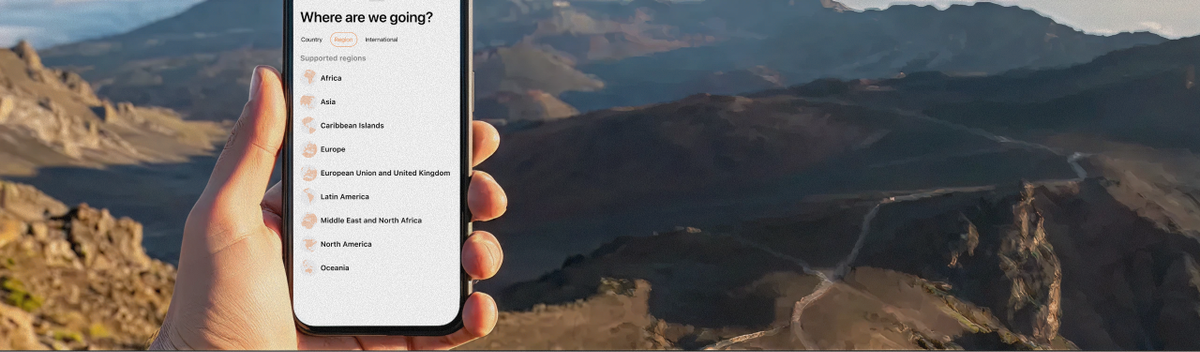
Install an eSIM through the app before departure. Choose a package for your destination country or region. As soon as the plane lands, the internet will already work. No setup, no airport queues.
2. Don't Call from Unknown Numbers If You Want Someone to Answer
You're in a foreign country, trying to reach the consulate, your bank, or even your mom. The person on the other end sees an international number that looks like spam — and they don't pick up.
Dingo's tip:
Use the Caller ID feature. Before you leave, while still at home, go to app Settings → Caller ID and verify your personal number. You'll be asked to accept a call and enter the code shown on your screen using the tone dialing (your iPhone's keypad). That's it! Now all your calls through Dingo will show your regular number. People will recognize you and will definitely call back.
3. Don't Be Left Without a Way to Call Regular Phone Numbers
Messaging apps are fine... until you need to call an airline, a hotel, a hospital, or a relative who doesn't have a smartphone. Social media won't help here.
Dingo's tip:
Dingo is VOIP calls to mobile and landline numbers worldwide. Even if the person you're calling has a basic flip phone or a landline, you'll get through. The rates are tiny compared to roaming.
4. Don't Keep Important Contacts Only in Your Head or in Random Chats
You've found a useful number inside Dingo: hotel support, a local taxi service, emergency help. Great — but how not to lose it?
Dingo's tip:
Save contacts directly from the app in one tap. Just tap "Save" — the number will be automatically added to your iPhone's system address book. Done. It'll always be at your fingertips, even offline.
5. Don't Ignore Topping Up Your Balance Before Your Trip
You wake up abroad, open Dingo, and see zero balance. You panic. Meanwhile, your payment card may not work overseas or may charge extra fees.
Dingo's tip:
Top up your balance before departure using any convenient method:
- Bank card (including MIR where accepted)
- Apple Pay
- In-app purchase via the App Store
- Voucher or coupon
And be sure to save promo codes for discounts or cashback — we often publish them on our blog and social media.
6. Don't Forget About Charging and Don't Rely Only on Wi-Fi
On the road, Wi-Fi can be slow, paid, or simply nonexistent. Especially if you're in the mountains or on an island.
Dingo's tip:
- Always take a power bank with you.
- Use Dingo eSIM (mobile data) as your main connection. VOIP calls work great over it, even on moderately fast connections.
- Don't skip opportunities to charge at airports and cafes — it might save you from missing an important call later.
7. Don't Plan Every Second, But Don't Leave Connectivity to Chance Either
This tip is about balance. On one hand, you don't need to check your phone every 5 minutes. On the other, having zero plan for communication can ruin your day.
Dingo's tip:
- Set one or two "communication windows" per day to call home or check important messages.
- For the rest of the time — turn off notifications and enjoy the trip.
- But keep Dingo handy for genuine emergency calls.
8. Don't Fear Scammers, But Be Sensible
During peak travel seasons, "friendly" calls and messages asking you to top up an account, click a link, etc., become more active.
Dingo's tip:
- Never share codes from SMS or push notifications with anyone.
- All official promo codes and offers are published only inside the app and on this blog.
- If someone calls you pretending to be Dingo and asks for personal data — hang up and contact our support team through the app.
In Conclusion
Here are 8 simple habits that will save your vacation from connectivity problems:
- Install Dingo eSIM before departure.
- Verify your number in Caller ID to call as if from your home number.
- Don't rely only on messengers — Dingo calls any phone.
- Save all useful contacts directly to your iPhone's address book.
- Top up your balance in advance and use promo codes.
- Take a power bank and don't rely solely on Wi-Fi.
- Plan "communication windows" but don't live in your phone.
- Be alert, but not paranoid.
Dingo is made so you can travel freely, and connectivity is just a tool, not a headache.